- For:
- maus robotics
- Work:
- Concept, Branding, UX/UI Design, Illustration,
Motion Design - Year:
- 2026
maus robotics
maus robotics builds an autonomous robot that makes fresh crêpes. In spring 2026, the company was the partner for our practice project at Schule für Gestaltung. The brief: design the robot's customer interface and make the whole thing feel like an experience rather than a vending machine.
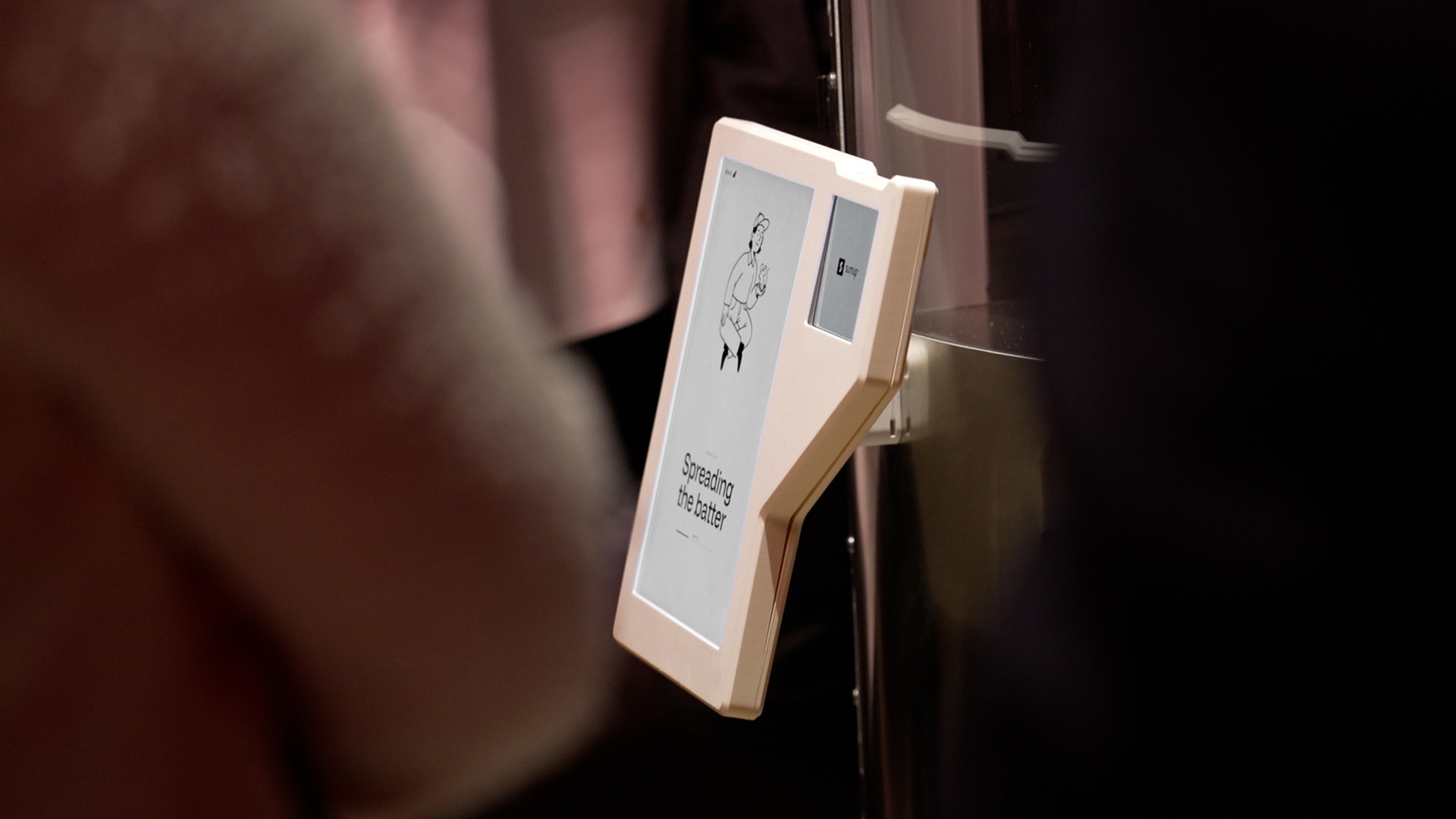
Photo: Silvan Meyer
Understanding the situation
I started with the people in front of the robot. Based on personas and requirements, I mapped the customer journey in seven steps: discover, approach, decide, pay, watch, receive and after. Passers-by need to understand within seconds what the robot offers, what it costs and how long it takes. Ordering and paying should take as few steps as possible and while the crêpe is being made, the screen shifts the focus to the robot’s doings instead of competing with it.
From wireframes to a first concept
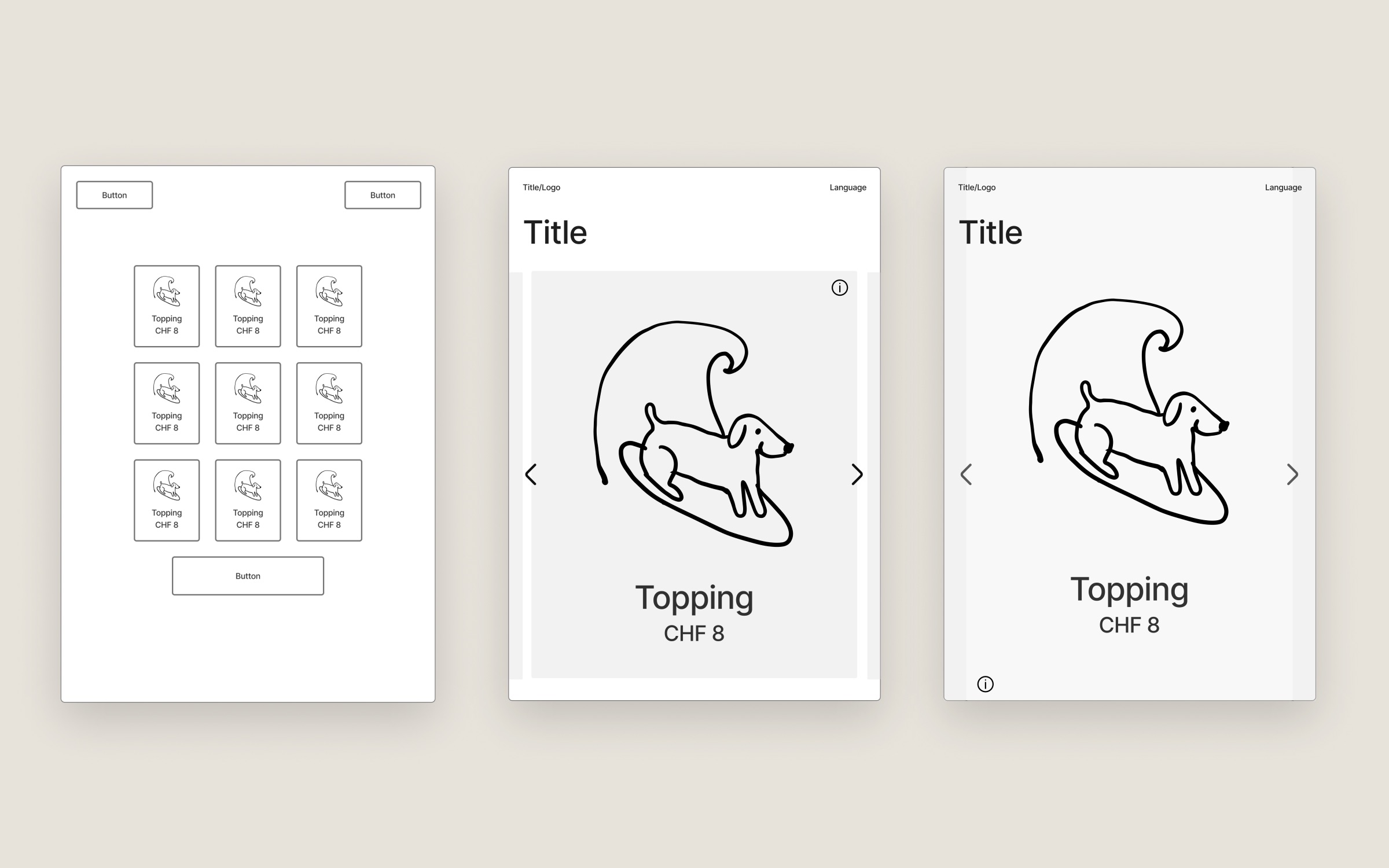
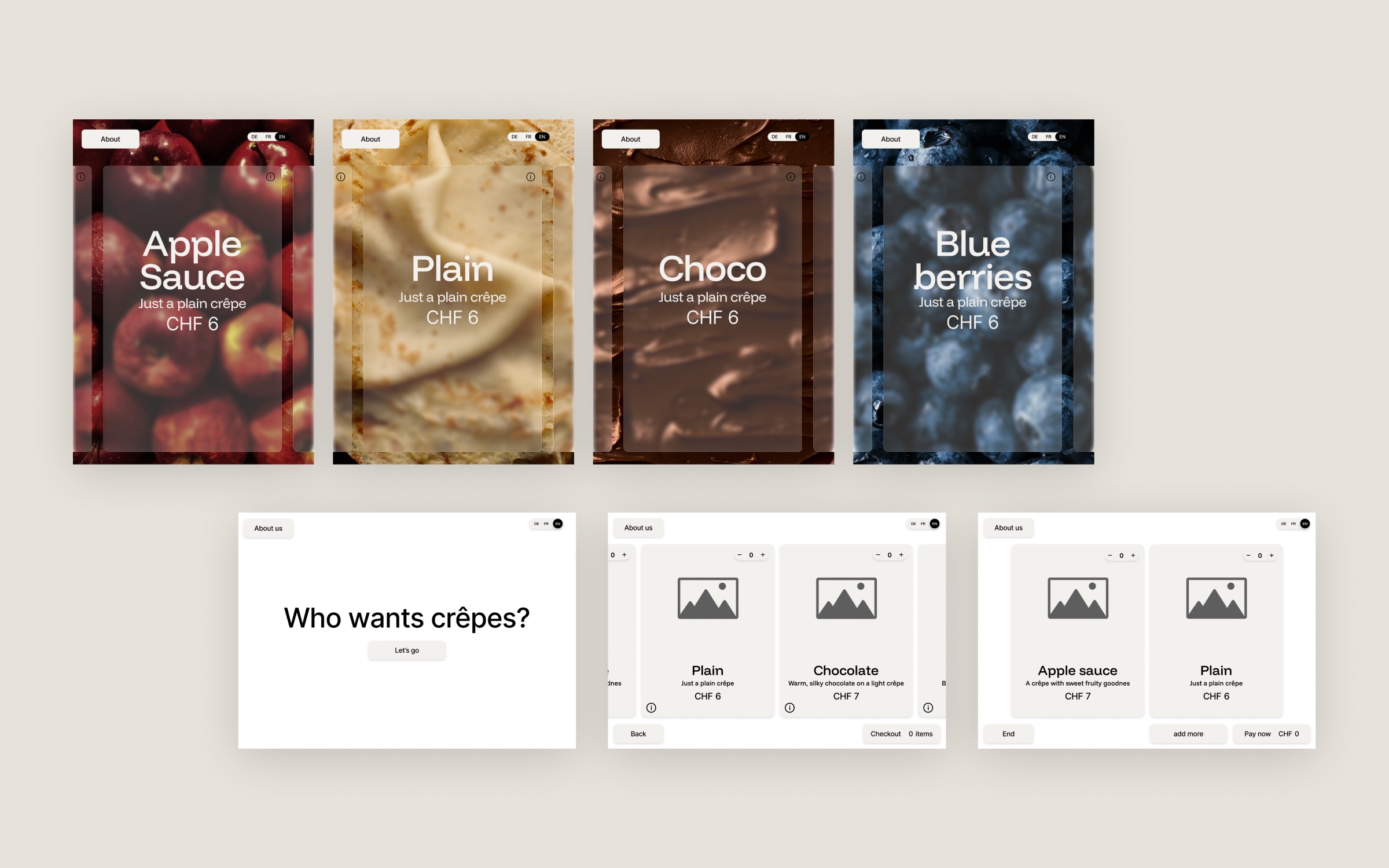
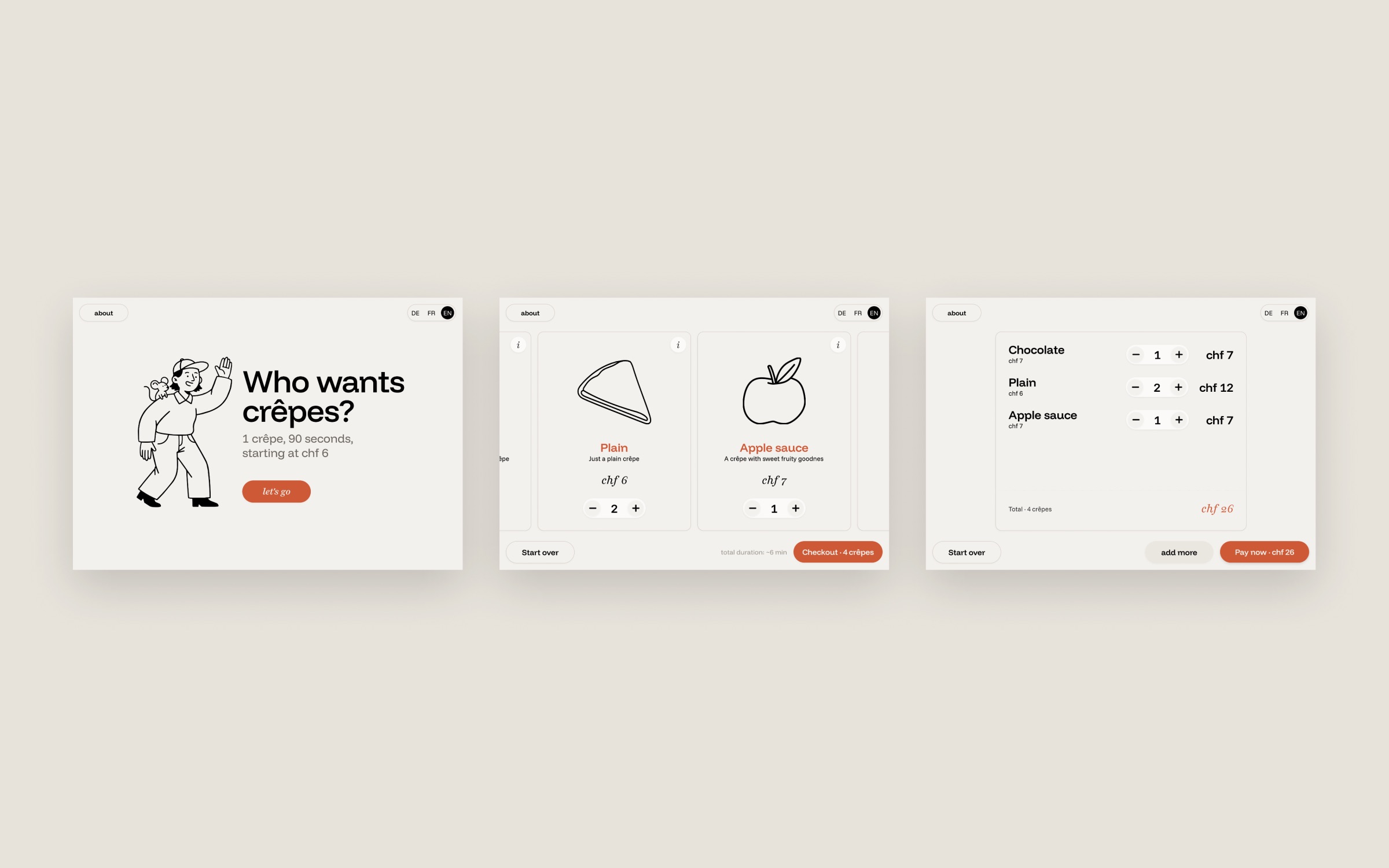
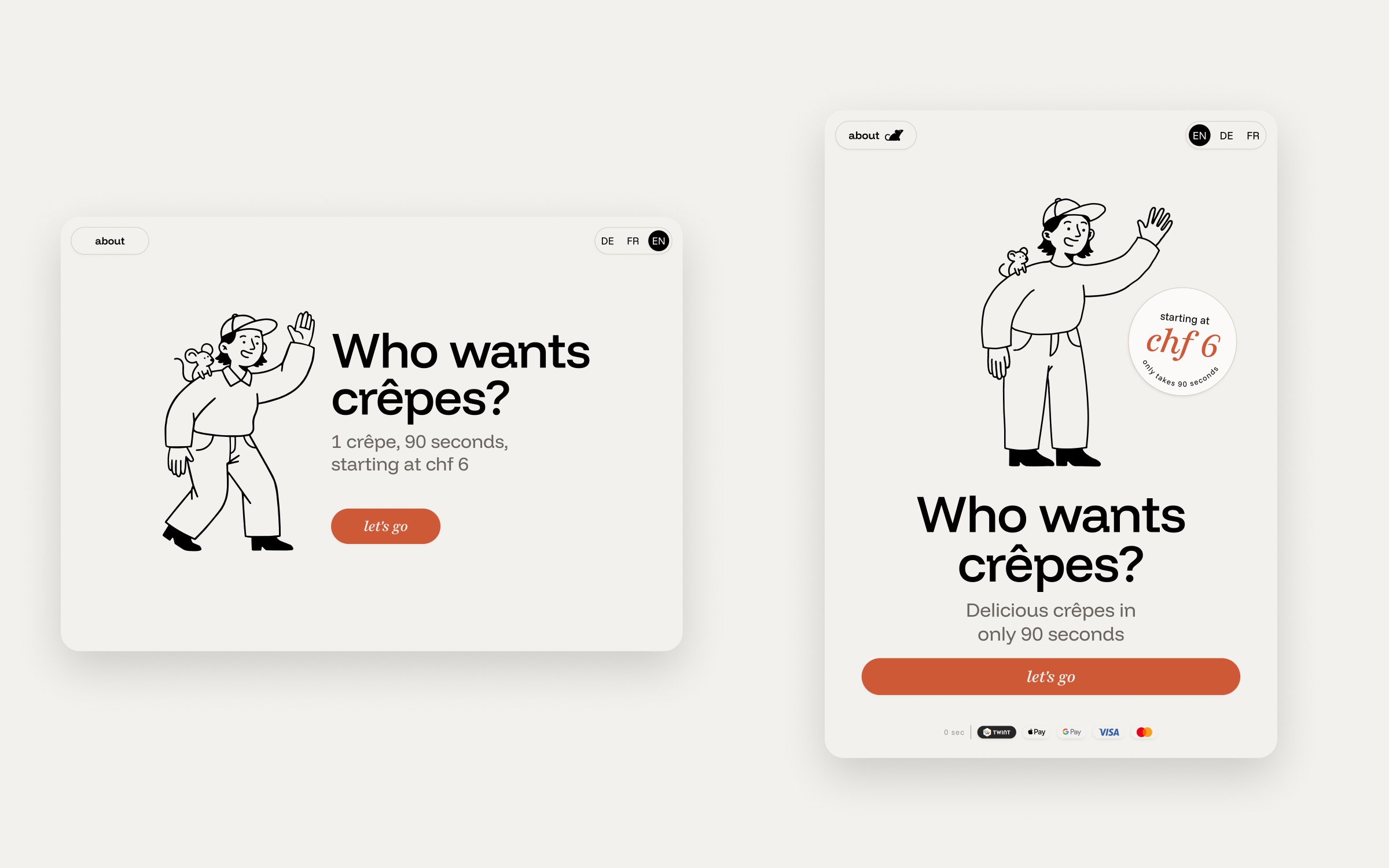
In the lo-fi phase I sketched several ways of choosing a topping: a grid, a list and a carousel with one topping at a time. This helped me narrow the ordering flow down to the fewest screens needed. By the time I started mid-fi, I had narrowed the visual direction down to two options: a liquid-glass-inspired design with close-up photographs and a minimalist interface with a hand-illustrated persona as a guide. In the end, the illustrated persona felt more personal and gave the robot a character people can relate to.
Building the system
In hi-fi, I worked out the details of how the persona should look. I opted for a gender-neutral person with a mouse mascot, as a little nod to maus robotics. I wanted a style that captures simplicity and warmth, so I went with a clean line drawing inspired by the ligne claire of classic Belgian comics but with a contemporary twist. This keeps the character friendly and readable at a glance, and calm enough not to compete with the robot in motion. To save time, I created the first drafts with the AI tools Recraft and Gemini and then refined them by hand in Illustrator. My peers instantly took a liking to the persona, and everyone had their own idea of who this person might be.
I kept the design system simple and classic: I built on Funnel Display, which maus robotics had already chosen, and added Funnel Sans for body text and Playfair Italic for accents. The color palette is warm neutrals and an orange accent, which I took from the hand-painted «crêpe» lettering on the first version of the robot.
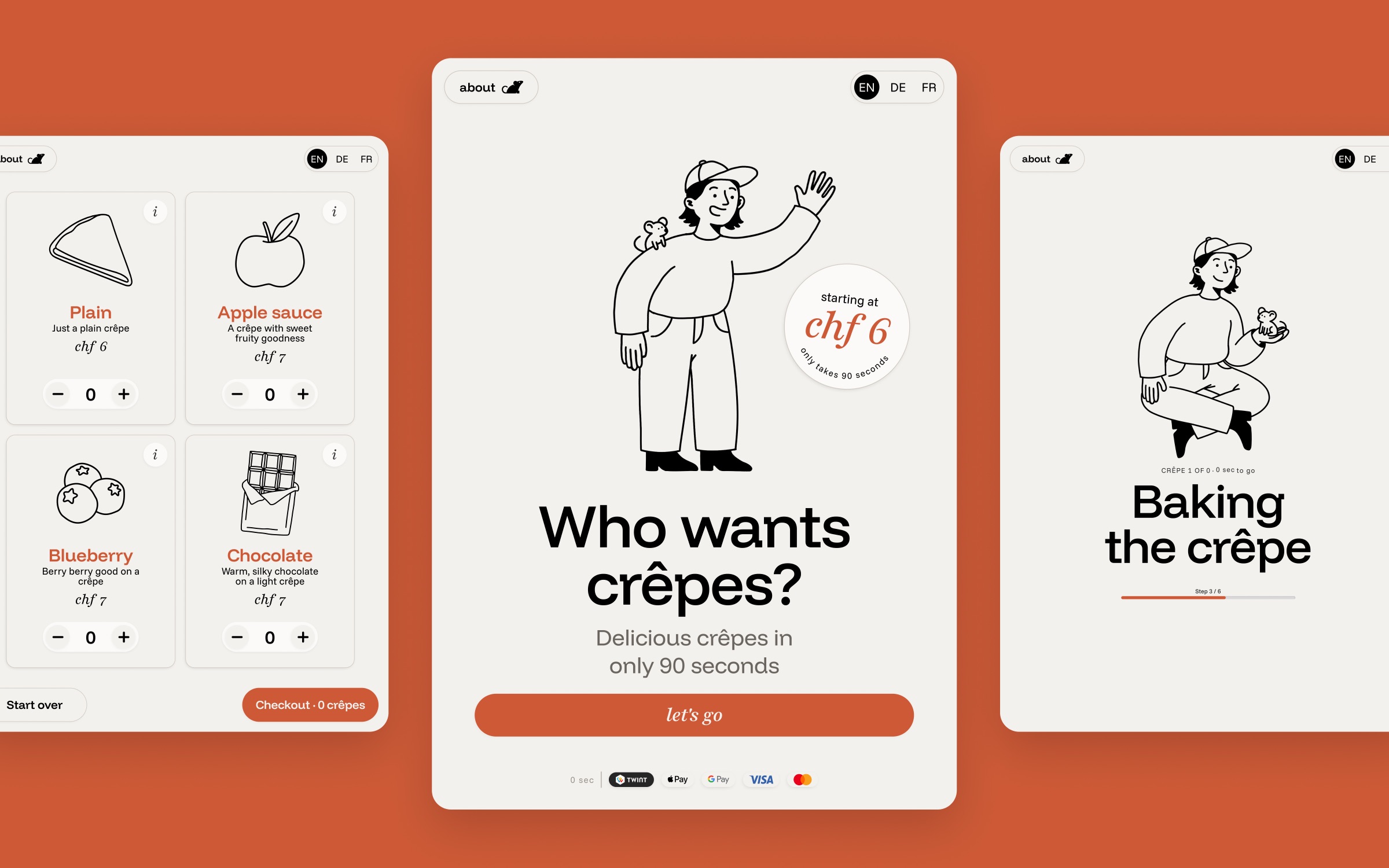
Once this was settled, I built the screens and added status screens for when the robot is heating up, empty or under maintenance.
From classroom to café
After the school project, maus robotics asked me to develop the design further for their robot. In a meeting, the team and I pinned down some specifics to work out over the coming months. This included changing the aspect ratio for the V2 of the robot, adding some details, hand-drawn animations to replace the illustrations and many more optimizations. Soon after, maus robotics set up the robot in Café Mitte.
Real-life interactions and bringing the character to life
Watching people, that may have seen the robot for the first time, interact with the interface, gave me a lot of important insights – some details only show up in reality. These observations shaped the next versions. At the same time, I fine-tuned the persona and the mouse. A big part of this was bringing the persona’s mouse closer to the maus robotics logo. After that, I created animations for specific moments, such as greeting customers or informing them of scheduled maintenance.
Also visit maus robotics and stay tuned for more.